


 DOWNLOAD PRE-2016 NAVAL VETERANS EPPO


 AN ADVICE TO MY SPOUSE AFTER ME
A step by step guide to applying for a Voter’s ID card for the Lok Sabha Elections 2019
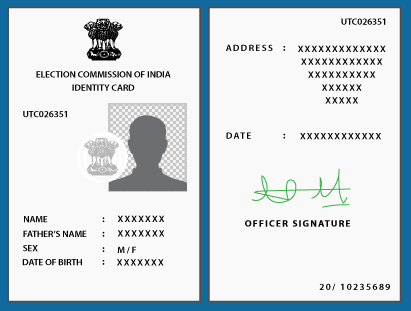
Election season is finally upon us, with the Election Commission of India announcing that the Lok Sabha Elections will be held through April 11 to May 19 in seven phases i.e. April 11, 18, 23, and 19, followed by May 6, 12 and 19. This means it will soon be time to exercise our right as citizens of India to elect a government that shall run the country for the next five years. Even if you’re living under a rock, the battle — as it has been for many years — will mainly be between the Indian National Congress and the Bhartiya Janta Party (BJP). This election will also decide whether PM Narendra Modi will retain his office for a second term or not. While political parties are busy devising and running their campaigns, this is the time for you to make sure you have that one thing necessary to make your voice heard, and that is your Voter ID. Here’s a detailed scheduled on when your city or town will go to the polls. Make sure you do it as soon as possible as, voter lists stop updating three weeks from the polling date, which means that whatever phase you are scheduled to go vote, you must have your name on a voters list at least three weeks before that. If you have one, make sure you are listed on the electoral rolls and if you don’t have one, here’s what you need to do to get it:
Who can apply for a voter ID?
All Indian citizens are eligible for a voters ID. Applicants must be over the age of 18, of sound mind, free of all criminal charges and must not be disqualified due to corrupt practices or offences related to elections.
How to apply for a Voter ID?
Applying Online for Indian residents
Documents that are required
1. A scanned photograph
2. Age proof (birth certificate, 10th grade marksheet, Pan Card)
3. Address proof
Steps to apply
1. Log on to the National Voter’s Service Portal i.e. www.nvsp.in and click on the “Apply Online” to register yourself as a new voter.
2. Once you do that, Form 6 will appear, which you must fill and submit. Form 6 can be filled in any Indian language.
3. Once you are done with that, an order will be given to include your name in electoral road.
4. However, post your submission, the notice board on the side will put out an announcement inviting all objections, put out by the Electoral Registration Office (ERO). If somebody posts an objection within a week of the announcement, then the ERO or the Assistant Electoral Registration Officer (AERO) will hear both, the objector and the applicant’s case, and based on this you will or will not be able to vote during this election season
5. But, in any case, you will either be notified by an SMS or through postal service, whether or not you have become a part of the Electoral list. You can even check the website of the Chief Electoral Officer of the state to see if your name has been included in the electoral roll.
Applying Offline for Indian residents
Documents you will need
1. A recent passport sized photograph
2. Copy of age/identity proof
3. Copy of residence proof
Steps to apply
1. You can find a Form 6 free of cost at your nearest ERO or your constituency’s AERO or even at your polling station’s Booth Level Officers.
2. You must fill the form and attach all your documents and submit to any of the offices mentioned above.
3. You may also submit your form and documents via post, and send it to the address of your constituency’s ERO or AERO. You can find these addresses on your state or union territory’s election commission website.
4. Once your form and documents are submitted, a booth level officer may visit you to verify your residential address.
5. Your application will then be put up on the ERO’s notice board, inviting any objections. If somebody has any, then they must put forth their objections in a period of a week.
6. If no objections are received, your name will become a part of the electoral roll.
7. If any objections are made, the ERO or the AERO will listen to both sides of the cases, and then decide the fate of your application.
8. In any case, you will be notified whether your name is included in the electoral roll or not via SMS or post. You can even check the website of the Chief Electoral Officer of the state to see if your name has been included in the electoral roll.
Applying via the semi-online way for Indian residents
Documents you will need
1. A recent passport sized photograph
2. Copy of age/identity proof
3. Copy of residence proof
Steps to apply
1. Visit www.nvsp.com and register as a new voter to download the Form 6.
2. Once you have filled all your details in and attached the documents, you can submit your application to your constituency’s ERO or AERO physically or via post.
3. If you decide to send it via post, you can find the address of the ERO or the AERO through the election commission website of your state or union territory.
4. Your application will then follow the same process as the one for offline applications.
Online for Non-Resident Indian (NRI) electors
Non-Residential Indians too can apply for their Voters ID, even if they aren’t currently in the country. However, it is necessary to note that you can only apply for a voters ID if you don’t have the citizenship of any other country, and are 18 or above. However, to cast your vote, you must be present at the polling station of the constituency under which your original address in India falls.
Documents you will need:
1. A recent passport-sized photograph
2. A self-attested copy of the back and front page of your passport
3. A self-attested copy of your visa
Steps to apply:
1. Log on to www.nvsp.com or visit the election commission website and download Form 6A.
2. Fill your form and submit it online, or send it to the ERO or the AERO of the constituency your Indian residence mention in your passport falls under.
3. You can even send in your form along with all the documents via post to the address of ERO and AERO, who’s address can be obtained from your Indian state’s or union territory’s Election Commission website.
4. Your application will then be put up for objections for a week.
5. If no objections are received than you will notified of your name being included in the electoral roll through SMS, or a post will be sent to your foreign address mention on your Form 6A. You can even check the website of the Chief Electoral Officer of the State to see if your name has been included in the electoral roll.
6. If objections are received, the ERO or AERO will have a hearing for both sides of the case, a notice will be sent to the foreign address mentioned on your Form 6A, however, personal appearance for the hearing is not necessary.
How to track your Voter ID application status?
Once you have completed your application process, you need not wait around to be notified whether you have been included in the electoral roll or not. You can check the status of your application on your state’s election commission website. Just click on the “Know the Status of Your Application for Enrolment” button, and enter your application number and the details required. And you shall instantly be shown which part of the process your application is under.
In case that you haven’t received your voter ID after your application, just visit the nearest ERO or AERO to get further help.
While it may sound like a lot of work, you now know that getting a Voter ID is not that difficult. You can even visit any political party’s office that may be close to you to get the form and further instructions. But despite all of this, if you still feel too lazy to exercise your right to vote, don’t complain about the governance in the future, as you didn’t make your voice heard when you had the chance.


 NOTIONAL FIXATION USING BASIC PAY FROM 3rd CPC TO 7th CPC
No comments:
Post a Comment
Indian Military Veterans Viewers, ..
Each of you is part of the Indian Military Veterans message.
We kindly request you to make healthy use of this section which welcomes the freedom of expression of the readers.
Note:
1. The comments posted here are the readers' own comments. Veterans news is not responsible for this in any way.
2. The Academic Committee has the full right to reject, reduce or censor opinion.
3. Personal attacks, rude words, comments that are not relevant to the work will be removed
4. We kindly ask you to post a comment using their name and the correct email address.
- INDIAN MILITARY VETERANS- ADMIN