


 DOWNLOAD PRE-2016 NAVAL VETERANS EPPO


 AN ADVICE TO MY SPOUSE AFTER ME
 SPARSH Pensioners How to Submit Life Certificate - Using Mobile Phone Face Authentication
SPARSH Pensioners attention please. It is time to submit your Annual Life Certificate for most of the Pensioners and Family Pensioners. In SPARSH Environment, it is not necessary to submit your Life certificate in November every year. Your Life certificate due date is one year from last time submitted. So, you must confirm it from your SPARSH Profile.
Using Jeevan Praman Portal, you can submit your Life Certificate which will directly be submitted to SPARSH Portal through Jeevan Praman App. But how to use the Jeevan Pramaan? Where is the Pramaan ID App? Jeevan Praman app can be searched in web play store and downloaded in your smart phone. Lets try it on your mobile. Firstly install Jeevan Praman App on your mobile and then follow the steps below.
What to enter in Jeevan Pramaan App?
Select Aadhaar option and enter Aadhaar Number
Mobile Number given in Aadhaar
E Mail address given to Sparsh
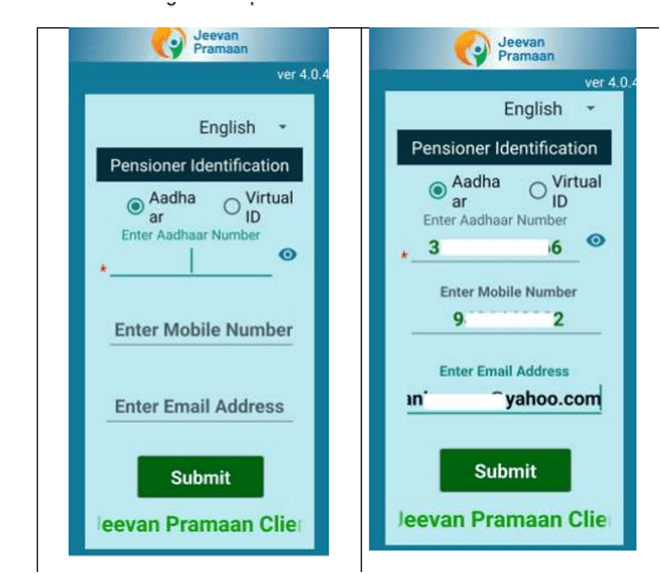
How to Fill up Pension data in Jeevan Praman App
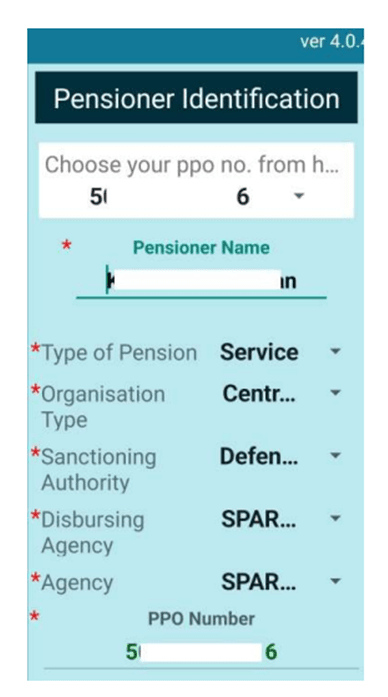
Once you entered the data mentioned above, will receive an OTP on the registered phone. Enter and submit again. Check the details given in the pensioner identification screen.
Pensioner name – your name as given in PPO
Type of Pension – Service
Organisation Type – Central Government
Sanctioning Authority – Defence – PCDA (A) Allahabad
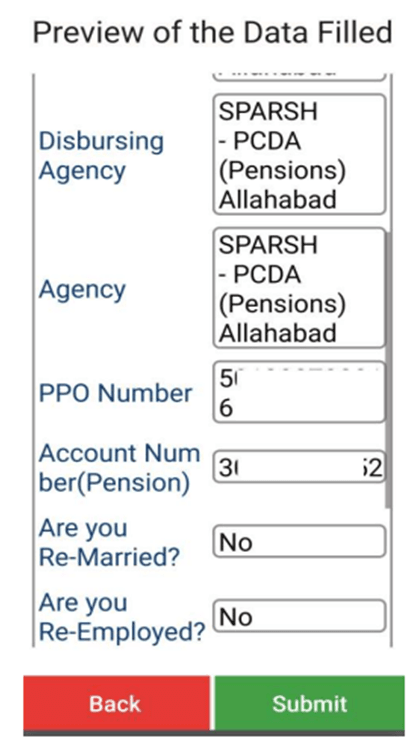
Disbursing Agency – Sparsh CPDA – PCDA (Pensions) Allahabad
Agency – Sparsh CPDA – PCDA (Pensions) Allahabad
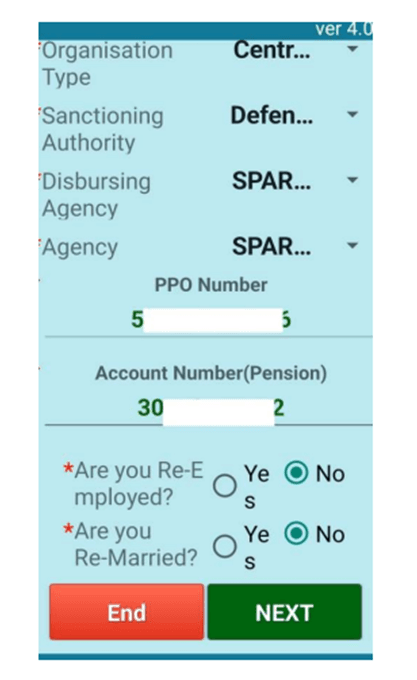
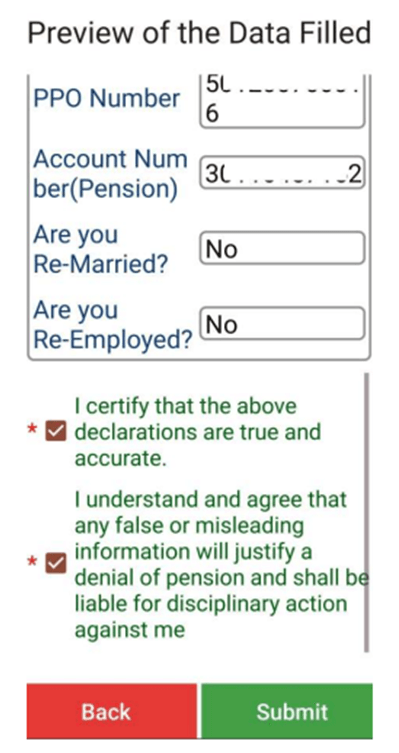
PPO Number – 201xxxxyyyyy
Account Number – your bank ac no
Are you re-married – NO
Are you re-employed – NO
Enter all details above correctly and then Click Submit.
A screenshot of the data-filling window is given here for ready reference
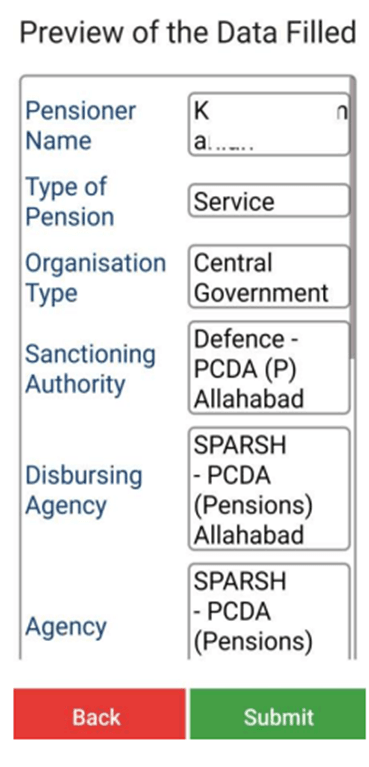
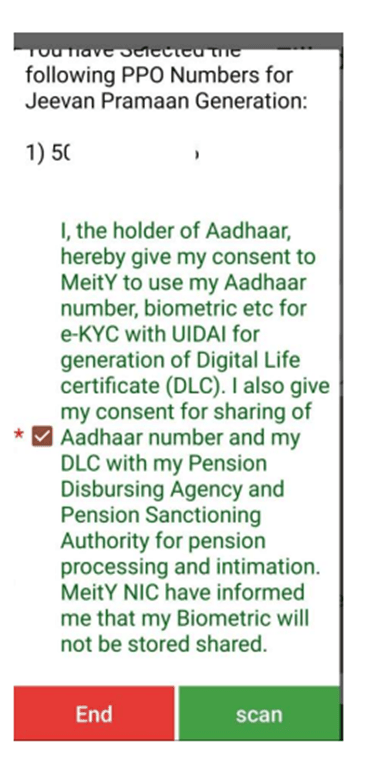
Next step to continue Jeevan Praman App Face Authentication
Generation of Praman ID
This number will be sent in the SMS to your mobile number and registered e mail Id.
Download the Life Certificate using the Pramaan Id and the OTP received.
Action In SPARSH Portal for Life Certificate confirmation
Now, visit your SPARSH Portal profile using credential after 3 working days using your User ID and Password. Once you visited the Sparsh web site after few days and go to the Life Certificate/Identification and check for the entry under this.


 NOTIONAL FIXATION USING BASIC PAY FROM 3rd CPC TO 7th CPC
No comments:
Post a Comment
Indian Military Veterans Viewers, ..
Each of you is part of the Indian Military Veterans message.
We kindly request you to make healthy use of this section which welcomes the freedom of expression of the readers.
Note:
1. The comments posted here are the readers' own comments. Veterans news is not responsible for this in any way.
2. The Academic Committee has the full right to reject, reduce or censor opinion.
3. Personal attacks, rude words, comments that are not relevant to the work will be removed
4. We kindly ask you to post a comment using their name and the correct email address.
- INDIAN MILITARY VETERANS- ADMIN